Accessing an online Australian casino account should be straightforward, but small issues such as a mistyped password, browser cookies or a forgotten registration email can quickly interrupt a session. The golisimo login information is most useful when treated as part of a wider account routine: protect your credentials, check the correct sign-in details and know how recovery works before you need it. This guide explains the sign-in process, common troubleshooting steps, password recovery and the account checks that may affect access.
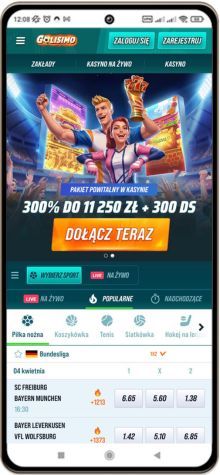
Use the correct details at sign-in
The Golisimo account login uses the username or email address selected during registration, together with the account password. Both fields need to match the original details. Passwords are case-sensitive, so an upper-case letter entered as lower-case can cause the attempt to fail even when the rest of the password is correct. Take care with spaces, keyboard settings and saved autofill information, particularly when signing in from a phone.
A useful first step is to enter the details manually rather than relying entirely on an old browser entry. Autofill can retain a previous password, an incomplete username or information from another account. If you use a password manager, check that it is filling the intended account and not an outdated record. Avoid repeatedly guessing, because several unsuccessful attempts can make it harder to identify the original problem.
For account security, use a private password that is not shared with other websites or people. Do not send your password through live chat or email, even if you are asking Support for help. When using a shared computer, avoid saving login details and sign out when finished. These habits are especially important when an account also connects casino play, sportsbook activity, bonuses and payment functions.
Fix common browser and device problems
When the credentials appear correct but access still fails, the problem may be local to the browser or device. Confirm that Caps Lock is off and that the keyboard is using the expected language. A slow or unstable connection can also interrupt a sign-in request. Refresh the page once, then try again without opening multiple login tabs at the same time.
After changing a password, an old session or stored cookie may continue supplying outdated information. Clearing the browser cache and cookies can resolve this conflict. Close the browser completely before reopening it, then enter the current credentials. If the issue remains, try another supported browser or a different device. This helps distinguish an account problem from a problem with the original browser.
Keep a note of the exact message shown on screen, without recording your password. A screenshot can be useful if Support asks what happened, provided it does not expose private credentials, payment data or identity documents. If different browsers and devices produce the same error, stop repeated attempts and contact Customer Support so the account can be investigated rather than making assumptions about its status.
Recover a forgotten password
The login page includes a “Forgot your password?” option for users who cannot remember their password. Selecting that function leads to a recovery step requiring the email address used when the account was registered. Enter the address carefully, including its spelling and domain, because the reset message is sent to that account’s registered email.
After submitting the request, check the inbox associated with registration. It is sensible to look in junk, spam or promotional folders as well as the main inbox. Allow a little time for delivery and avoid submitting many requests in quick succession, since several messages can make it unclear which reset email is the latest. Use the current reset message and follow its on-screen instructions.
If no reset email arrives, confirm that the address entered is the one used at registration. If you have forgotten the username or registration email as well as the password, the official recovery route is Customer Support. Support may need enough information to locate the account, but do not send more personal or financial information than requested. Never create a second account simply to bypass a recovery issue, as the platform permits only one account per player.
When verification affects account access
Login access and withdrawal approval are not always the same matter. Verification may be requested before or during a withdrawal, and account reviews can involve identity, address, payment ownership or source-of-funds information when required. This means a player may be able to sign in while a separate transaction or account check is still pending.
Requirements depend on the account and transaction, so do not assume that another player’s document list will apply to you. Materials associated with Australian accounts refer to documents such as an Australian passport or driver licence, a recent utility bill or bank statement, and supporting financial information if a source-of-funds review is triggered. Follow the operator’s stated requirements and submit information only through the designated account or Support channel.
Keep profile information accurate and contact Support if a personal detail needs changing. The profile allows the player to change the password directly, while other personal account details are handled through Customer Support. If access problems appear alongside verification questions, explain both issues clearly. Avoid opening another account, making repeated payment attempts or cancelling a transaction until you understand what the account review requires.
Get help while protecting the account
Customer Support is available 24/7 through live chat and at support@golisimo.com. Support can assist with failed login attempts, password-reset problems, forgotten usernames or registration emails, account-detail changes, verification questions and payment concerns. A concise message usually works best: describe the error, say which device or browser was used and mention whether password recovery has already been attempted.
Before contacting Support, prepare the non-sensitive information that may help locate the account, such as the registered email address or username. Do not include your password in a message. If a screenshot is requested, inspect it first for visible passwords, full payment details, document numbers or unrelated private information. Support may ask for additional checks, and those requirements should be followed as stated rather than guessed.
If you want a break from gambling or need to close the account, Support handles account closure and responsible-gambling requests. Self-exclusion requests can be sent to support@golisimo.com. The platform is intended for adults aged 18 and over. Treat login access as one part of safer account management: protect credentials, review bonuses before using them and seek assistance whenever account activity does not look familiar.
FAQ
What should I do if my Golisimo password stops working?
Check Caps Lock, re-enter the username or email carefully and try clearing browser cookies after a recent password change. You can use the “Forgot your password?” function to request a reset email. If the issue continues, contact Customer Support and do not share your password.
Can Support help if I forgot my username?
Yes. If you have forgotten the username or the email used during registration, Customer Support can investigate the account. Provide only the information requested, and avoid creating another account, as only one account is allowed per player.
Does signing in mean withdrawals are automatically approved?
No. Login access does not necessarily complete an identity or payment review. Verification may be requested before or during a withdrawal, with requirements depending on the account and transaction. Check the operator’s stated requirements and contact Support if the withdrawal remains under review.