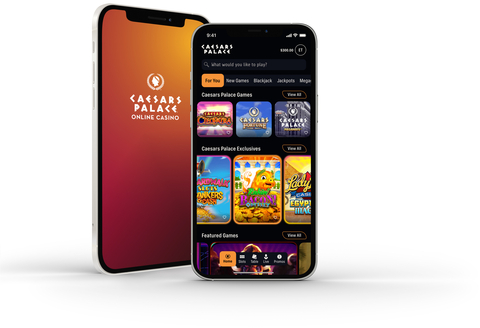
Mobile browsing can make casino research more convenient, but a small screen also makes it easier to overlook game details, promotion conditions and account requirements. For Canadians considering lussurio casino bonus information, the useful question is not simply whether a website opens on a phone. It is whether the browser experience supports careful comparison, clear navigation and sensible account decisions. This guide focuses on using a smartphone or tablet to explore real money casino games Canada players may encounter, without assuming that every listed feature or offer suits every user.
What should a mobile casino browser experience provide?
A practical mobile site should allow visitors to move between game categories without repeated zooming, horizontal scrolling or awkward pop-ups. A responsive layout normally rearranges menus for a narrower display, keeping search, categories and account options accessible from a compact navigation panel. This matters when browsing slots, table games, live-dealer titles or instant-win content because the game library can otherwise feel difficult to filter on a phone.
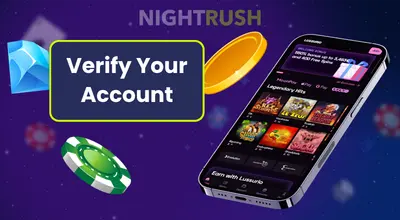
Browser compatibility is also important. The available information describes an instant-play website intended for modern smartphone and tablet browsers, with access to casino content, promotions, account areas and cashier functions without requiring a desktop computer. That does not mean every device, operating system or browser version will perform identically. A current browser, stable connection and sufficient battery power can reduce interruptions, especially when loading graphics-heavy games or live video.
Mobile convenience should not be confused with a native application. Some directory listings may use the word “app” loosely, but a dedicated iOS App Store or Android Google Play listing has not been consistently established. Treat browser access and a downloadable application as separate options. Before installing anything, check the official app store and the publisher information rather than relying on a pop-up, an unfamiliar file or a third-party download page.
How can you browse games efficiently on a small screen?
Start with the category structure rather than opening the first attractive title. A large catalogue may include video slots, classic slots, jackpots, roulette, blackjack, baccarat, video poker, bingo, keno, scratch cards, crash games and live casino options. On a phone, narrowing the selection first saves time and reduces the chance of confusing a demo-style information page, a promotional tile and a playable title.
Provider browsing can also be useful when you already recognize a studio or want to compare presentation styles. Listed suppliers include names such as Pragmatic Play, NetEnt, Red Tiger Gaming, Quickspin, Yggdrasil Gaming, Hacksaw Gaming and Evolution for some live-dealer content. Provider names can help organize discovery, but they do not establish that every game has identical rules, return characteristics or availability in a particular account.
Use a repeatable inspection routine before selecting a game. Open the information panel, read the visible rules, check the bet range and identify whether the title is a slot, table game, live game or instant product. If the text is too small, rotate the device or use the browser’s built-in zoom, then return to the game lobby. Short trial browsing can reveal controls and navigation, but it cannot prove future results, volatility or personal suitability.
Which mobile details deserve extra caution?
Promotional banners are often more prominent on a phone than their conditions. A headline can mention matched bonuses, free spins, cashback or tournaments while the important restrictions appear behind a terms button. Before treating an offer as relevant, check the qualifying deposit, maximum amount, wagering calculation, expiry, eligible games and whether withdrawing affects a bonus balance. The applicable offer terms should take priority over general descriptions.
Account and payment screens deserve the same care as game pages. The available information indicates that CAD is supported, while payment methods can vary by country, bank, currency and cashier profile. A method visible in a general mobile listing may not appear for every user. Deposit and withdrawal thresholds, method restrictions and review times can also differ, so do not assume that a figure shown in one currency applies to a Canadian account.
Verification can be particularly inconvenient on a phone if documents are stored elsewhere or the camera produces unclear images. Account registration may require accurate personal and contact information, and checks can involve identity evidence, residential proof or payment ownership documents. Prepare readable files, use a secure connection and avoid sending sensitive documents through unofficial channels. If an account review remains unclear, use the operator’s stated support route and retain copies of relevant correspondence.
How do you make mobile browsing safer?
Begin with the device itself. Install operating-system and browser updates, use a screen lock, avoid public Wi-Fi for account or payment activity and do not save credentials on a shared device. A password manager can help create a unique password, while browser permission settings can limit notifications, location access and unnecessary camera or microphone requests.
Phishing messages often imitate casino branding, payment providers or account alerts. Treat unexpected links, urgent verification demands and requests for passwords or one-time codes as warning signs. Type the known website address yourself or use a trusted bookmark, and check the address bar before entering personal information. For broader Canadian guidance on protecting accounts and devices, consult Canadian cyber security guidance from the federal Cyber Centre.
Keep browsing and spending decisions separate. A fast mobile connection may make it easy to move from reading a game description to opening a cashier screen, but convenience is not a reason to rush. Decide in advance how much time and money you are prepared to use, and consider the available deposit, loss, wagering, session, cooling-off or self-exclusion controls where applicable. If the site behaves unexpectedly, stop and verify the situation rather than repeatedly submitting forms.
What is the best way to compare mobile options?
Compare the browser experience across the devices you actually use. A newer phone may load live content smoothly while an older tablet may struggle with video, animations or multiple open tabs. Look at menu clarity, search accuracy, text readability and whether the page remains usable after rotating the screen. A visually attractive homepage is less important than being able to locate rules, account settings and support without confusion.
Consider how much information you need before making a decision. Some people mainly want quick access to familiar slots, while others prefer live tables, jackpots or a broad provider list. A large catalogue is not automatically an advantage if filters are poor or game information is difficult to read. Shortlist a few categories, examine their rules and note any restrictions rather than judging the whole service from its promotional front page.
Finally, record unresolved questions before creating or using an account. Check the stated minimum age and jurisdiction requirements, currency options, verification expectations, withdrawal conditions and any mobile-specific limitations. Do not assume that a browser version has the same functionality as a native app, or that every promotion appears for every account. This measured approach makes mobile browsing more useful: it supports informed comparison without presenting access, speed or convenience as a guarantee of results.
Mobile browsing questions answered
Is a dedicated mobile app required?
No. The available information describes browser-based access through modern smartphones and tablets, so a dedicated application is not required for the stated mobile experience. Because a verified iOS or Android store listing has not been consistently established, users should not treat an app label in a directory as proof of an official downloadable application.
Can every mobile game be judged from a quick preview?
No. A preview can show navigation, basic controls and presentation, but it cannot establish future outcomes, volatility, return characteristics or whether bonus play contributes equally. Open the game information panel and read its rules before making decisions. Treat brief browsing as orientation rather than evidence that a title will suit you.
What should I do if a mobile page looks suspicious?
Stop before entering credentials or payment information. Check the web address, close unexpected pop-ups and avoid downloading files from prompts or messages. Reopen the site through a trusted bookmark or manually entered address, then contact the stated support channel if necessary. Never provide passwords or one-time security codes to an unsolicited contact.